- Use cases
- Built for Your Role
Project Manager
See What Matters. Keep Your Project Moving.
Turn your latest schedule into a clear view of progress, priorities and risks. Privalyx helps you spend less time searching for answers and more time making decisions that move your project forward.
01
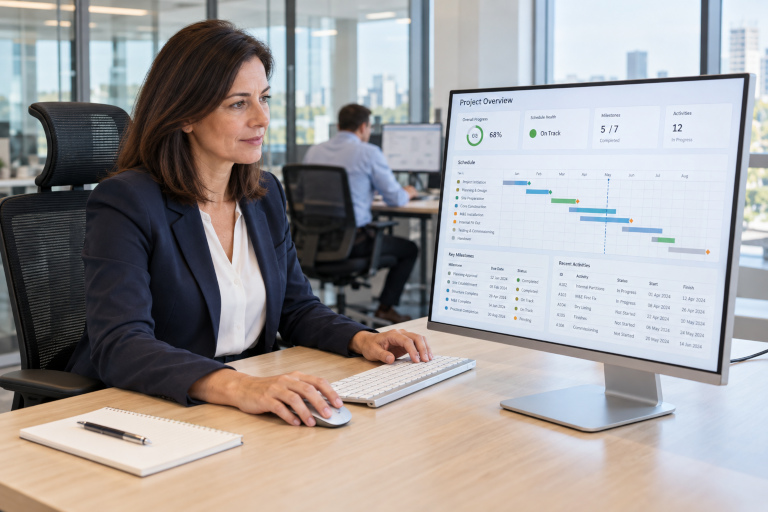
Get a clear picture of progress
See project progress, schedule health and key milestones together. Understand where delivery stands without working through every detail of the schedule.
See progress without opening every activity
02
Get answers and prepare updates with AI
Ask our AI Assistant about project status, explore the supporting insights and create clear reports for team meetings and stakeholder updates.
 Privalyx AI
03
Know where to focus your attention
Explore delays and schedule risks to identify the areas that need attention. Bring clear evidence into discussions with your planners, controllers and delivery teams.
Late approvals
High
Resource overlap
Watch
Scope change
Watch
Resolved issues
Stable
Bring clear evidence into team discussions
04
Keep sensitive project data protected
Your schedules and AI analysis stay on your device, with no cloud uploads. Work offline and control what you share with clients, contractors and colleagues.
Choose what to share
- Progress summary
- AI analysis
- Selected update
Work offline and control what leaves your device.